
Guide · Windows 11 and 10
How to disable startup programs in Windows 11 and 10
Most slow sign-ins are caused by apps that start with Windows and do not need to. Turning them off is safe and reversible, and it is usually the single biggest improvement to how fast a PC feels after boot.
Method 1: Task Manager
- Press Ctrl+Shift+Esc.
- Open Startup apps (the gauge icon on Windows 11, the Startup tab on Windows 10).
- Sort by Startup impact, right-click an app and choose Disable.
Disabling does not uninstall anything. The app still opens when you start it yourself; it just stops launching at sign-in. Right-click and Enable to undo.
Method 2: Settings
Settings > Apps > Startup lists the same apps with on and off switches and an impact label. Handy on a touch screen.
Method 3: the Startup folder
Some apps put a shortcut in the Startup folder instead. Press Win+R, type shell:startup and delete shortcuts you do not want. shell:common startup holds the ones for all users and needs administrator.
Which startup apps can I disable?
Usually safe to turn off:
- Updaters and helpers for apps you open yourself: Adobe, Spotify, Steam, Epic, Discord, Teams, Zoom, browser helpers.
- Launchers for hardware you rarely adjust, such as RGB lighting and mouse software (settings are usually stored on the device).
Keep on:
- Your antivirus or security software.
- Audio, touchpad, pen and graphics driver components.
- OneDrive or another sync client, if you rely on it to back up your files.
- Anything you do not recognise, until you have looked it up.
What about services?
Services are background components, not apps. Changing them can break Windows features, so leave them alone unless you know exactly what a service does. If you do look, msconfig > Services > Hide all Microsoft services shows only third-party ones.
If the problem is memory rather than boot time, see what is actually using your RAM.
How Cosmo Cleaner handles it
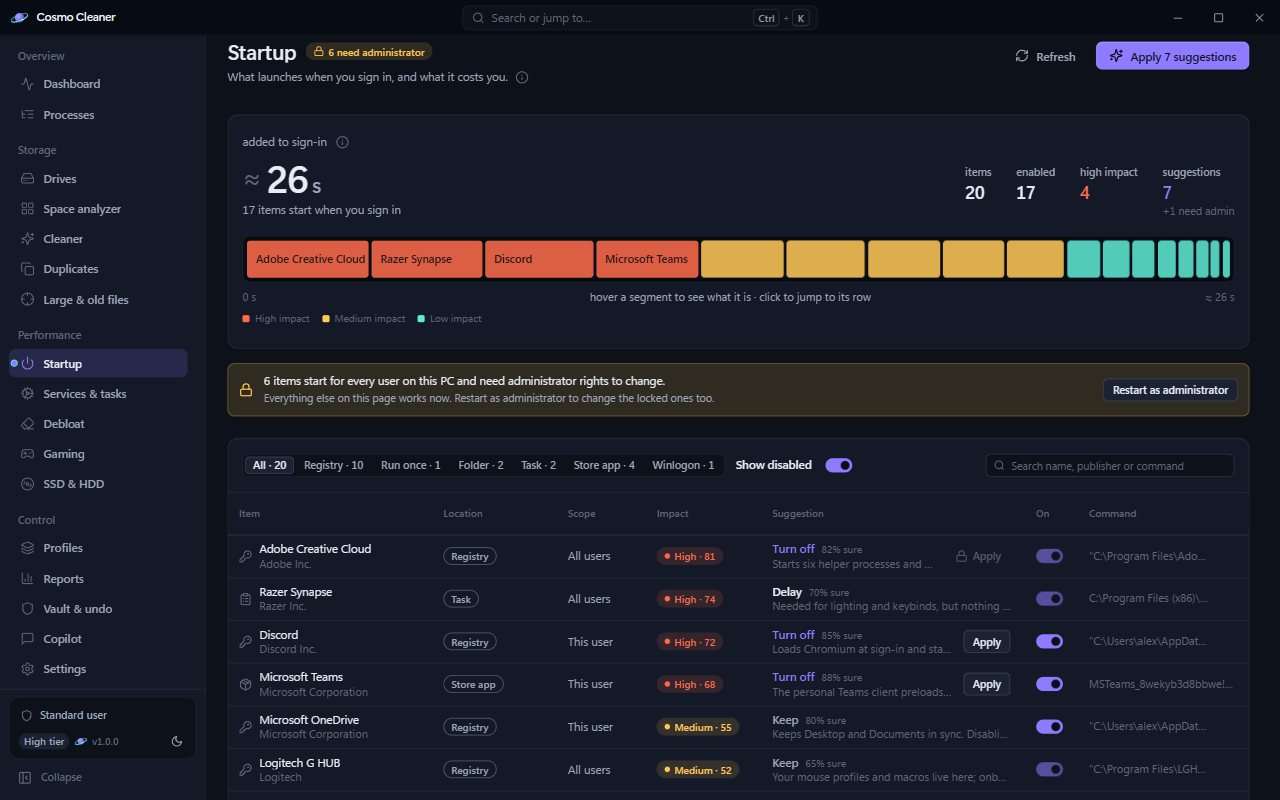
Cosmo Cleaner's startup manager shows how many seconds startup apps add to sign-in, an impact score for each item and a suggestion with how sure it is. Services and scheduled tasks get safe recommendations too, and every change is recorded so you can put it back.
Questions
Is it safe to disable all startup programs?
Not all of them. Keep security software, driver components and your sync client. Everything else is usually safe, and disabling is reversible.
Will disabling startup apps speed up my PC?
It speeds up sign-in and frees memory and CPU right after boot. It does not make apps you run faster.